Case study
Loadline for iOS
An offline-first strength training app designed and built end to end.
Visit projectTech stack
- React Native
- Expo
- TypeScript
- Swift
- SQLite
- Supabase
- PowerSync
- Sentry
- Claude Code
- Codex CLI
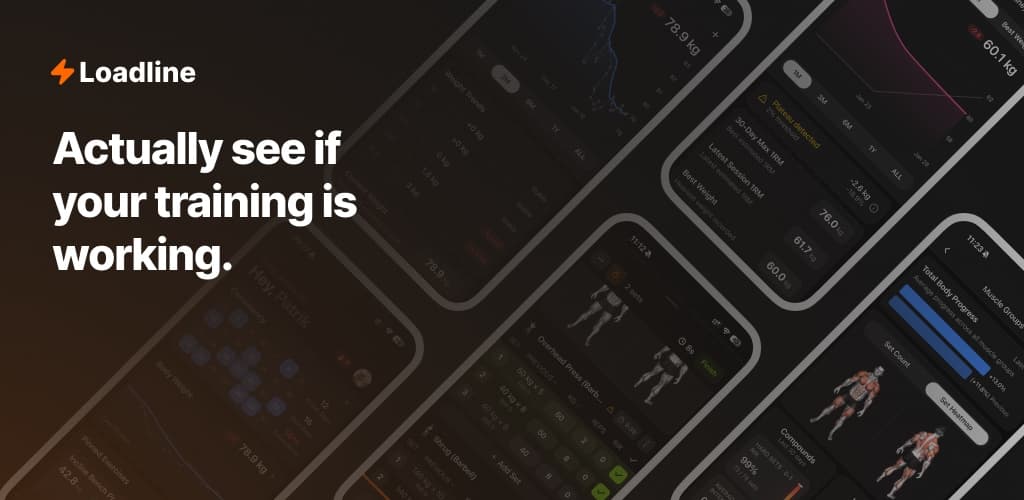
Fast workout logging, with or without a connection
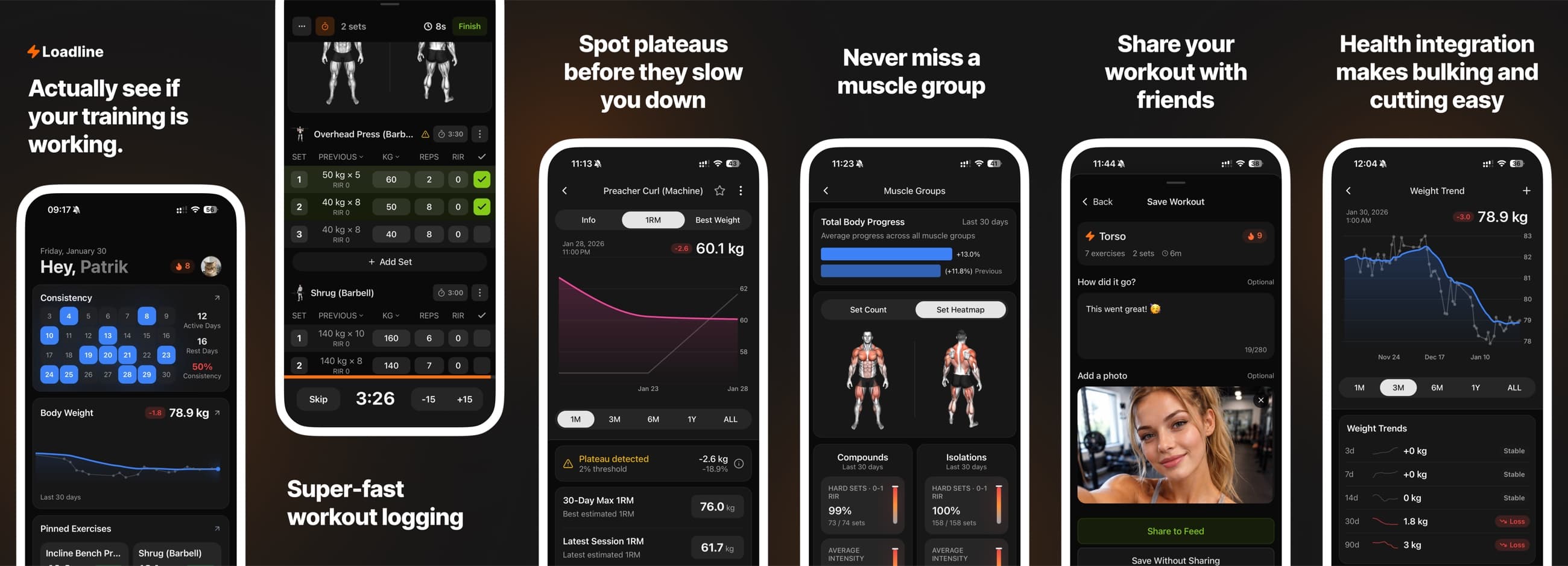
Loadline is a strength training app for people who want the speed of a notebook along with structured history and useful analytics. During a session, it handles previous set values, supersets, unilateral work, rep ranges, RPE or RIR, automatic rest timers and different exercise measurement types. Once the workout is done, the same data powers personal records, estimated strength trends, consistency views and plateau detection.
I designed and built the product from end to end. That work covered the React Native app, its local data model, custom Swift integrations and the Supabase infrastructure behind it. I also handled observability, subscriptions and App Store releases. Owning the whole product meant that problems found in real workouts fed directly back into the design and engineering.
Built for unreliable gym Wi-Fi
Workouts last a while and require constant input. They also happen in basements and busy buildings where reception comes and goes. If the connection drops halfway through a session, the user must still be able to see their history, log the next set and finish the workout without waiting for a spinner.
When the user saves a set, it has to be safe immediately, even without a connection.
SQLite owns the workout loop
Each device keeps a user-specific SQLite working set with 35 tables, backed by OP-SQLite. This local database is the durable source of truth. Kysely provides typed access, and PowerSync watch queries notify the app when the replica changes. Zustand is limited to active workout state and derived snapshots for the interface.
A completed set goes into SQLite first, so the interface responds immediately whether the phone is online or offline. PowerSync manages the transactional mutation queue and writes server changes back into the local replica. A custom connector maps those operations to Supabase, batches compatible writes and handles failures. Media has its own durable queue because file transfers need different retry, integrity and cleanup rules.
What offline support changes
| Concern | Typical API-first app | Loadline |
|---|---|---|
| The user logs a set | Send it to the API and wait | Write it to SQLite immediately |
| The connection drops | Fall back to a read-only cache or an error | Keep the whole workout readable and editable |
| A write fails repeatedly | Keep retrying the request | Limit retries, preserve the payload and unblock the queue safely |
| The data model changes | Update the API and client types | Keep Postgres, sync rules, SQLite and TypeScript in sync |
| The app is not open | Stop the interaction | Continue through Live Activities, rest timers, quick actions and HealthKit |
Three failures that changed the design
Open offline without showing stale or empty screens
The first version of the startup flow waited for Supabase to validate the session before restoring the local user. With poor reception, someone returning to the app could sit on the splash screen even though their workout history was already available in SQLite.
Startup now restores the cached user and opens SQLite synchronously. Supabase validates or refreshes the session in the background. If the account changes, the app closes the previous user's subscriptions and clears user-specific stores before loading queries for the new user.
Prevent one bad mutation from blocking the upload queue
PowerSync queues offline writes in transaction order, which keeps them consistent. It also creates a difficult failure mode: one malformed or permanently rejected write can hold up every workout behind it.
I built the upload policy around that queue. It batches compatible writes, separates retryable failures from deterministic ones and gives each operation a retry budget. Before a poison transaction leaves the blocking path, the app saves its full payload to a server-side dead-letter store. If that save fails, the queue stays blocked until Sentry has flushed a recovery artifact. I can then replay the payload or generate reviewed SQL to reconcile the data.
Keep a growing workout model from losing information
A workout set started with weight and reps. Over time, Loadline added RPE and RIR, unilateral values, rep ranges, timed and distance work, supersets, personal records, programs and training blocks. With that many shapes, one field missing from a mapper could corrupt someone's history or reopen a routine differently from how it was saved.
Shared repositories and mutation gateways now own the reads, codecs and writes. Parity and architectural drift checks catch mismatched schemas, while integration tests cover the full roundtrip from workout to routine and back. At startup, the app fingerprints the on-device schema. If an older binary finds an incompatible version, it can rebuild the PowerSync replica from Postgres instead of trying to repair a local shape it no longer understands.
Using iOS where it improves the workout
Most of Loadline is built with Expo and React Native. Features that need deeper access to iOS cross into Swift, which keeps the main product fast to develop without giving up native behavior where it helps the workout.
- ActivityKit Live ActivitiesThe current exercise, set, workout clock and rest timer stay visible outside the app. Payload validation and resume recovery keep the activity in sync with the workout.
- HealthKit integrationThe app reads and writes body metrics and workout samples. It processes anchored changes in the background without duplicating its own records.
- iOS-native interactionNative toolbars, menus, form sheets and Home Screen quick actions work alongside a custom workout keyboard and responsive rest timer controls.
- Safe releasesRuntime version checks stop OTA updates from reaching incompatible native binaries. A fingerprint guard catches unversioned native changes, and staged rollouts reduce the number of users affected by a faulty release.
What changed with real users
1,849
registered users have used Loadline in conditions that are hard to reproduce in development.
Real usage exposed cases that were easy to miss during development. Tokens expired while the phone was offline. Date-sensitive subscriptions crossed midnight. HealthKit sent a duplicate sample, Storage lost a photo and a native activity received an old payload. Fields also drifted between saved routines and completed workouts. I turned those incidents into recovery paths, contract tests and architectural checks.
Building Loadline made me comfortable working at both ends of a product. I can refine a two-pixel interaction detail, then trace the recovery path that protects someone's training history.
What I would simplify next
Dependable offline support reaches far beyond the database. Startup, account changes, queued writes, deletes, attachments and server changes all need to work without a stable connection. The same is true for observability and recovery. Ignoring any of those paths leaves an app that works in a demo and fails in someone's hand.
If I started again, I would add shared mutation gateways and schema parity checks much earlier. I would also keep the sync boundaries narrower. The current stack works, but coupling between its layers makes infrastructure changes expensive. Complexity that protects the user's data has a clear job. Complexity left by earlier decisions is a candidate for removal.